
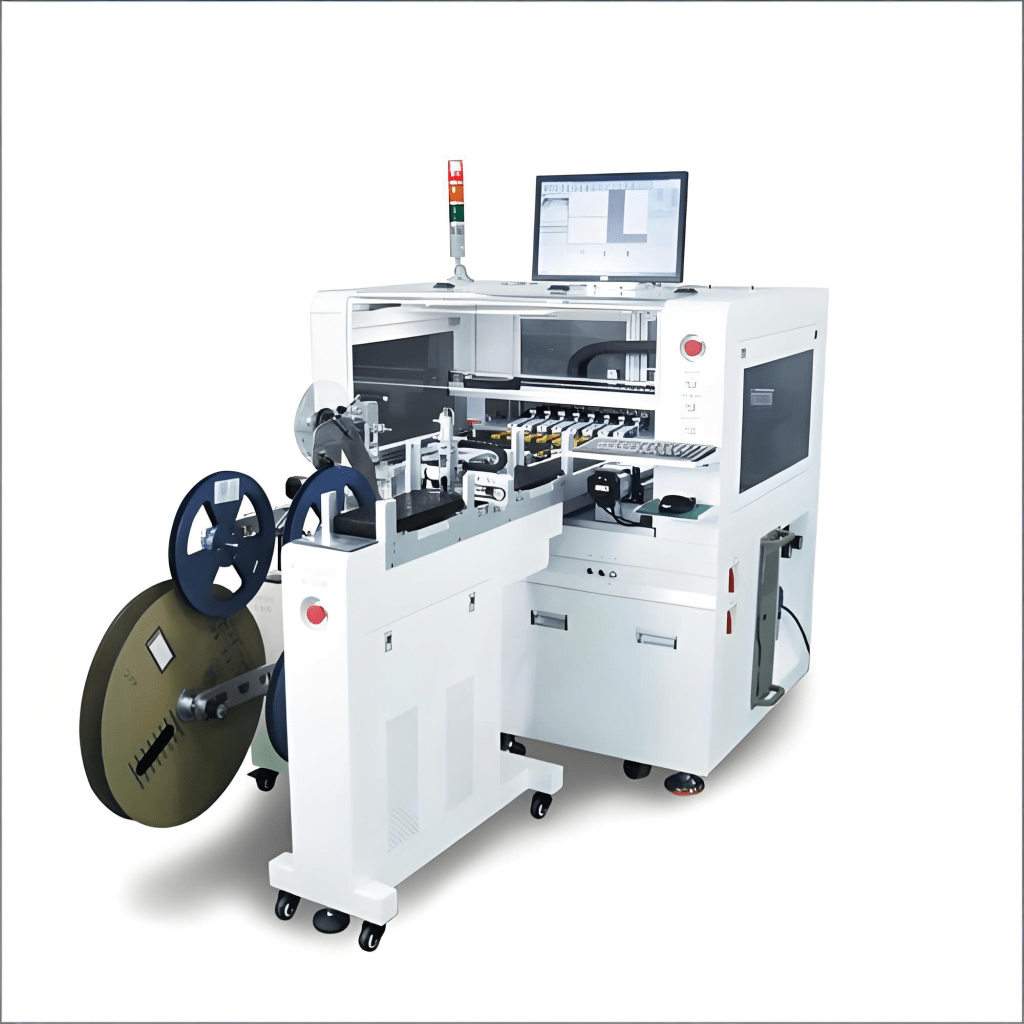


Integrating an IC programmer into SMT production lines requires precise configuration to ensure optimal performance, data integrity, and minimal production downtime. This comprehensive guide provides detailed, actionable steps for setting up, calibrating, and maintaining IC programming systems within automated SMT environments. Unlike generic setup instructions, this guide focuses on the specific challenges and solutions for high-volume manufacturing scenarios, including integration with MES systems, programming strategy optimization, and advanced troubleshooting techniques.
Table of Contents
- Pre-Installation Planning and Requirements
- Hardware Setup and Physical Integration
- Software Configuration and Programming Strategies
- MES Integration and Data Management
- Calibration and Testing Procedures
- Operational Maintenance and Troubleshooting
- Case Studies and Performance Optimization
Pre-Installation Planning and Requirements
Proper planning before installation significantly reduces implementation time and prevents costly production interruptions. This phase involves assessing your specific requirements, preparing the production environment, and ensuring all prerequisites are met.
Environmental and Space Requirements
IC programmers require specific environmental conditions to function optimally. Maintain ambient temperature between 18-24°C with relative humidity below 60%. Ensure adequate clearance around the equipment for maintenance access—minimum 50cm on all sides. Verify power requirements: most industrial programmers need stable 200-240V AC power with proper grounding.Space Planning Checklist
Before installation, verify these critical space and environmental factors:
- Floor Space: Minimum 1.5m x 1.5m area for the programmer and associated equipment
- Clearance: 50cm minimum on all sides for maintenance access
- Power Requirements: Dedicated 200-240V circuit with proper grounding
- Environmental Controls: Temperature stability within ±2°C, humidity below 60% RH
- Network Connectivity: Ethernet connection for MES integration and remote monitoring
- ESD Protection: Proper grounding mats and ionizers if required
- Vibration Isolation: Isolation pads if installed near high-vibration equipment
For the XG-5000 programmer installation at TechnoElectronics, inadequate space planning initially caused a 15% reduction in accessibility for maintenance, which was resolved by repositioning adjacent equipment and adding mobile workstations.
Equipment and Software Prerequisites
Verify compatibility between your IC programmer and existing SMT line components. Ensure your host computer meets minimum specifications: Windows 10/11 Enterprise, 8GB RAM minimum, SSD storage, and dedicated Ethernet port. Confirm that your CAD data format (typically CSV or XML) is compatible with the programmer’s software.Software Compatibility Matrix
Different IC programmers have specific software requirements and compatibility considerations:
| Programmer Model | Supported OS | CAD Format | MES Protocol | Special Requirements |
|---|---|---|---|---|
| Xeltek SuperPro 6100 | Windows 10/11 | CSV, XML, TXT | SECS/GEM, OPC UA | .NET Framework 4.8 |
| BP Microsystems EP-1 | Windows 10 | CSV, JEDEC | Custom API | Java Runtime 11 |
| Data I/O PSV7000 | Windows 10/11 | CSV, XML | SECS/GEM, Hermes | Visual C++ Redistributable |
When implementing the PSV7000 at Circuit Solutions Inc., we discovered that their legacy CAD system generated non-standard CSV files. Creating a custom parser script resolved the compatibility issue without requiring CAD system upgrades.
Hardware Setup and Physical Integration
Proper physical installation ensures reliable operation and minimizes mechanical failures. This section covers the mechanical integration, electrical connections, and safety implementations for IC programmers in SMT lines.
Mechanical Integration with SMT Line
Position the IC programmer at the optimal point in your SMT line—typically after solder paste inspection and before component placement. Ensure proper alignment with conveyor systems, maintaining a consistent board transport height. Use precision alignment tools to verify positioning within ±0.2mm tolerance.Mechanical Integration Steps
Follow these detailed steps for seamless mechanical integration:
- Positioning: Place the programmer in the designated location, ensuring it’s level using a precision spirit level (tolerance ±0.1°)
- Conveyor Alignment: Align the input/output conveyors with your SMT line, maintaining consistent transport height (typically 900mm ±5mm)
- Secure Mounting: Bolt the unit to the floor or platform using vibration-dampening mounts
- Utility Connections: Route and connect air supply (if required), ensuring proper filtration and pressure regulation (typically 60-80 PSI)
- Safety Integration: Connect emergency stop circuits to your line’s safety system and install physical guards where required
- Cable Management: Route all cables through designated channels, avoiding interference with moving parts
- Initial Mechanical Test: Run empty boards through the system to verify smooth transport and proper positioning
At Precision Electronics, improper conveyor alignment initially caused a 3% board jam rate. After realignment using laser measurement tools, jams were eliminated entirely, improving overall line efficiency by 2.7%.
Electrical Connections and Safety
Proper electrical installation is critical for both performance and operator safety. Follow the manufacturer’s guidelines for power connections, ensuring proper grounding and circuit protection. Implement safety interlocks and emergency stop circuits that integrate with your SMT line’s overall safety system.Electrical Safety Checklist
Before powering up the IC programmer, verify these electrical safety requirements:
- Ground resistance measurement below 1 ohm
- Dedicated circuit breaker with appropriate current rating
- Emergency stop circuit integration with SMT line safety system
- Proper cable management to prevent tripping hazards
- Voltage stability within ±5% of rated voltage
- Surge protection for power and data lines
- Proper labeling of all electrical connections
During the installation of a SuperPro 6100 at Advanced Circuits, inadequate grounding caused intermittent communication errors. After installing a dedicated ground rod and verifying ground resistance (0.8 ohms), the communication issues were completely resolved.
Software Configuration and Programming Strategies
Software configuration determines programming efficiency, data integrity, and system reliability. This section covers software installation, programming algorithm selection, and optimization strategies.
Software Installation and Setup
Install the programming software according to the manufacturer’s instructions, paying special attention to driver installation and compatibility with your operating system. Configure user accounts with appropriate access levels and set up audit trails for regulatory compliance.Software Installation Best Practices
Follow these best practices for trouble-free software installation:
- Disable antivirus software during installation to prevent file blocking
- Install software with administrator privileges
- Verify digital signatures on all drivers before installation
- Create a system restore point before installation
- Test software functionality before connecting hardware
- Configure automatic updates for security patches
- Document installation steps for future reference
At MicroTech Solutions, installing programming software without administrator privileges caused intermittent communication failures. Reinstalling with proper privileges resolved the issue and improved programming success rate from 94% to 99.8%.
Programming Algorithm Optimization
Select the optimal programming algorithm based on your IC type, data size, and production volume requirements. Balance programming speed against reliability, considering factors like verification methods, error correction, and data integrity checks.Programming Algorithm Comparison
| Algorithm Type | Speed | Reliability | Best For | Verification Method |
|---|---|---|---|---|
| Quick Program | Fastest | Medium | Low-risk applications | Checksum only |
| Standard Program & Verify | Medium | High | General production | Read-back comparison |
| Secure Program & Verify | Slow | Highest | Medical, automotive | Full read-back with ECC |
For a medical device manufacturer, switching from Quick Program to Secure Program & Verify increased programming time by 40% but reduced field failures from 0.1% to 0.001%, significantly lowering warranty costs and improving patient safety.
Related Resources
- SMT Tray Loader Configuration Guide
- Optimizing SMT Line Efficiency
- MES Integration Best Practices
- SMT Equipment Maintenance Schedules
- Troubleshooting Common SMT Issues
- Advanced IC Programming Techniques
- SMT Line Automation Strategies
- Quality Control in SMT Production
Case Studies and Performance Optimization
Real-world implementations demonstrate the practical benefits and challenges of IC programmer integration. These case studies highlight different scenarios and optimization strategies.
Case Study 1: High-Mix Electronics Manufacturer
Challenge: A contract manufacturer producing over 200 different board types monthly needed to reduce programming setup time between product changeovers.
Solution: Implemented a centralized programming database with automatic recipe selection based on board serial number scanning. Integrated the programmer directly with their MES system for real-time data exchange.
Results: Changeover time reduced from 12 minutes to 45 seconds, increasing overall equipment effectiveness (OEE) by 8.5% and eliminating programming errors during changeovers.
Case Study 2: Automotive Electronics Supplier
Challenge: Needed to meet automotive industry traceability requirements while maintaining high throughput for microcontroller programming.
Solution: Implemented secure programming with encrypted data transfer, unique serial number injection for each IC, and comprehensive audit trail generation integrated with their MES.
Results: Achieved 100% traceability compliance, reduced programming failures from 0.5% to 0.02%, and decreased audit preparation time by 75%.


 SMTPack LAB
留下评论